


ChemLabel Suite at a glance
- Central data maintenance Maintain products, legally required texts and marketing texts centrally, translate them manually or automatically with DeepL – with roles and change history. This way the label always carries the current texts.
- Design once, use many times An intuitive editor with plenty of design freedom – no graphics software needed. One layout can be used for several products.
- PDF per product at the push of a button Product data is written into the label automatically in the languages you want. You get a finished PDF in a few seconds.
- Booklets and fold-outs, automatically Text flow and page count are calculated: only as many pages as needed – no matter how many languages.
- Print-ready PDFs without rework, with print colours (CMYK). With the “Text as outlines” option, missing fonts are no longer a problem.
- Fully customisable ChemLabel Suite can be fully adapted to your requirements.
Product presentation

Here you can find the playlist with more instructional videos
Three steps to a print-ready label
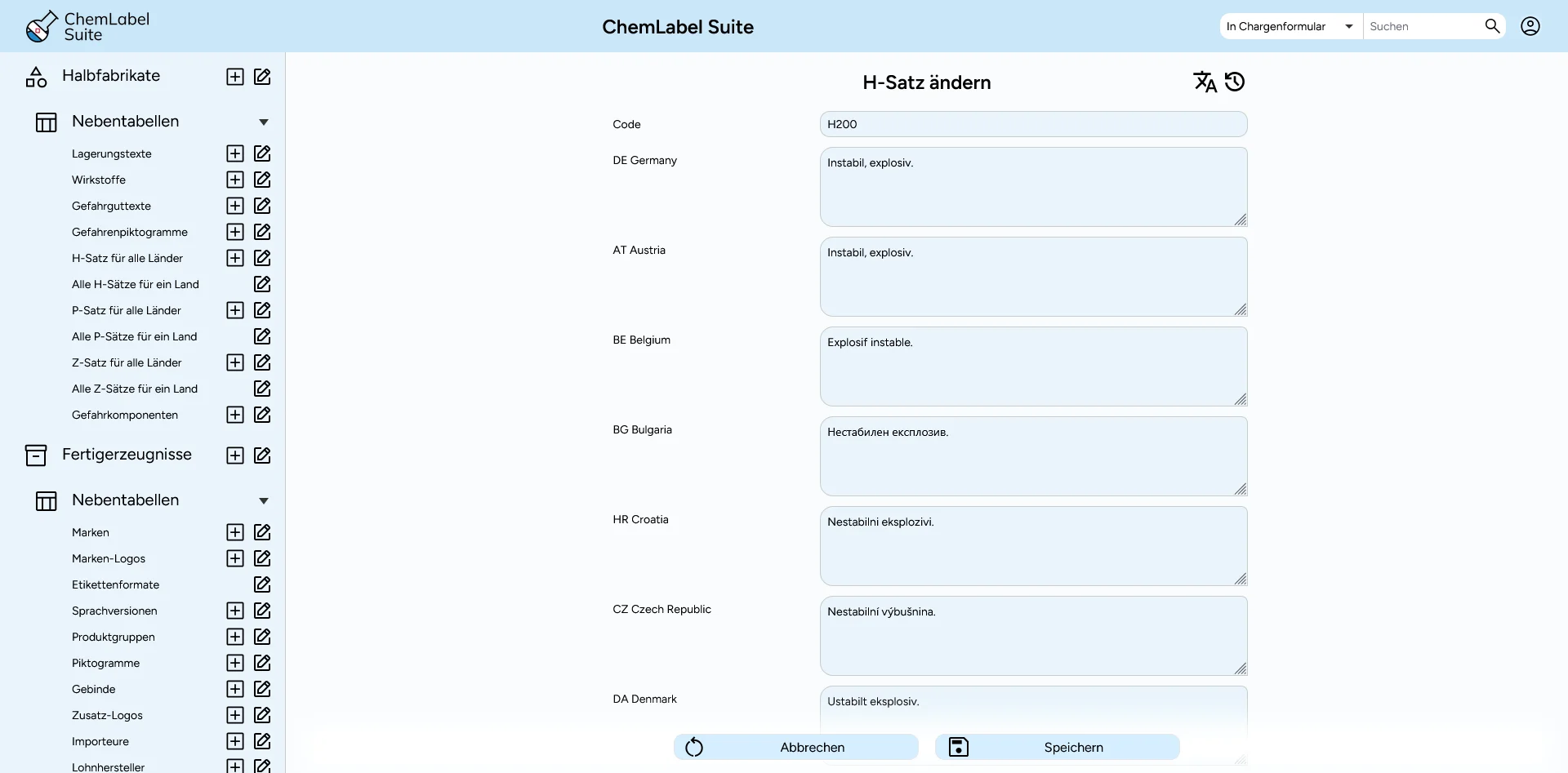
Maintain product data centrally: from semi-product to product
The hazard-relevant data sits with the semi-product: recipe, classification, H, P and Z statements for every country, hazard-determining components, signal word, UN and ADR data, storage and frost sensitivity. The product builds on it and adds brand, article number, EAN, UFI, QR code (e.g. linking to the product page), container, approval, importers and pictograms, also for contract fillers.
If a classification or a statement changes, you change it in one place. With the next PDF it applies to all products based on that semi-product.
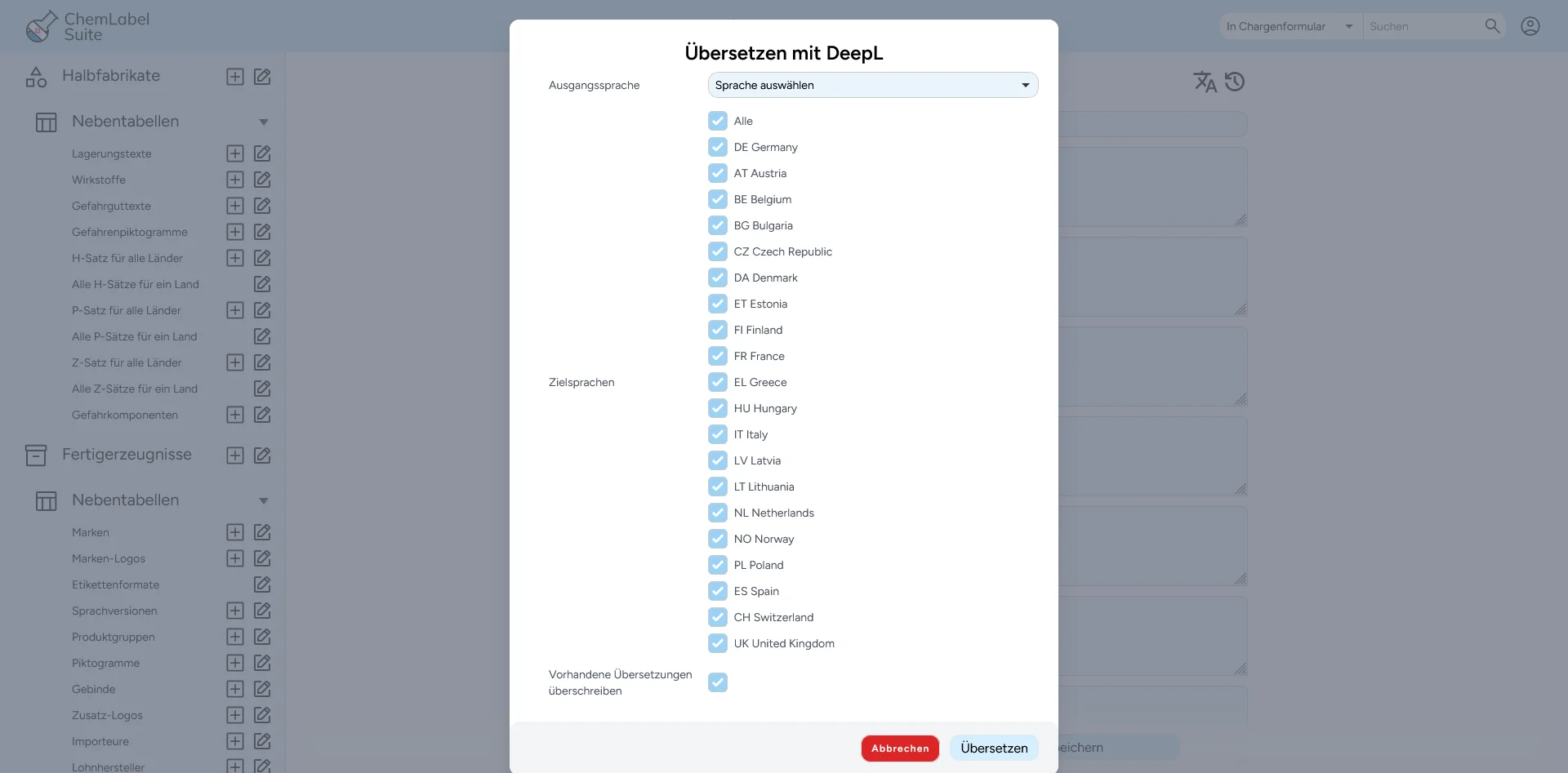
- Texts per country and language, optionally translated automatically with DeepL
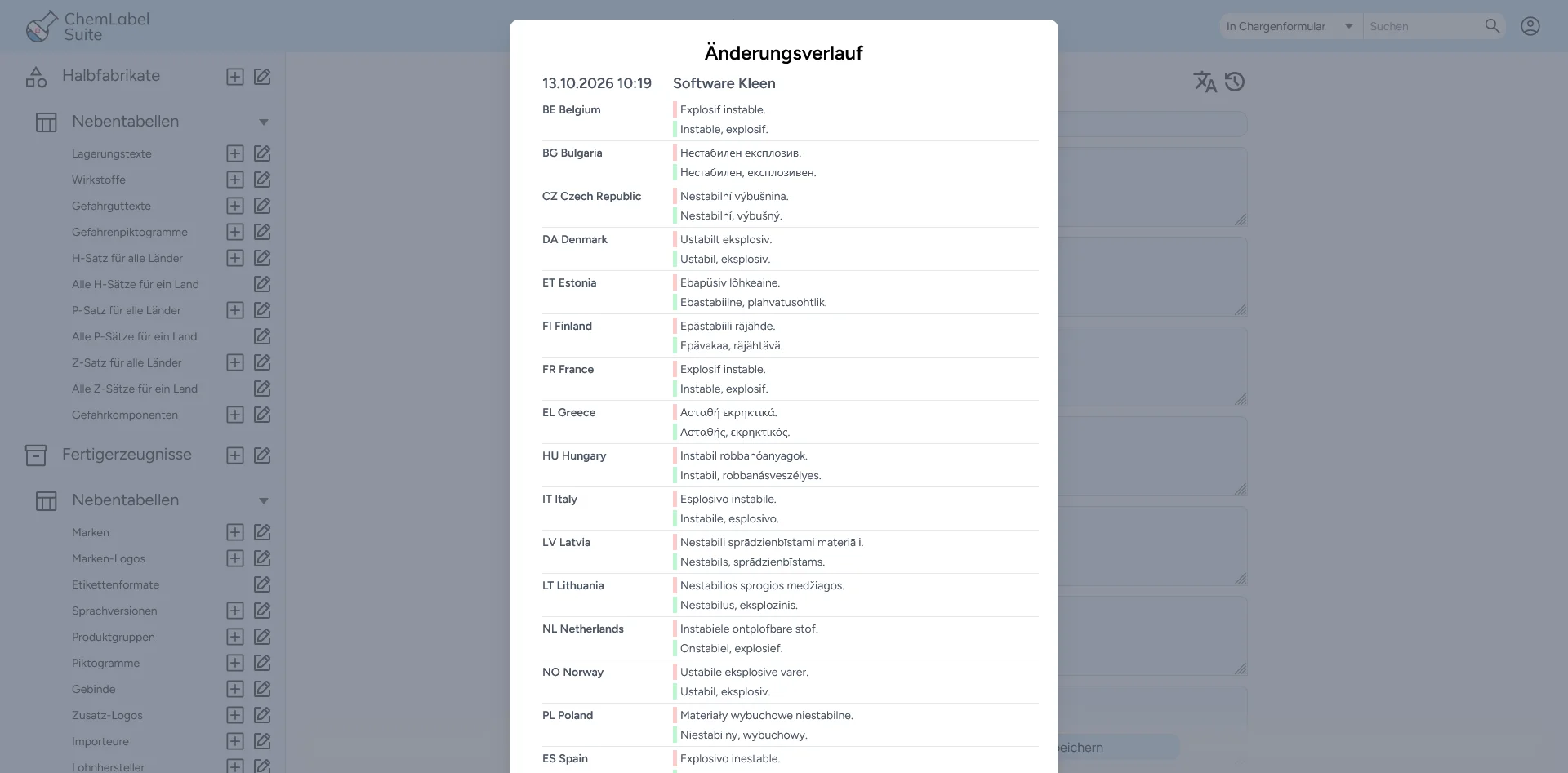
- Change history: who changed what and when, old and new text per country side by side
- Roles Admin, Editorial office and Output; Output only creates batches
- Lock entries with a note: locked products do not appear in the batch form
Design labels in the label editor
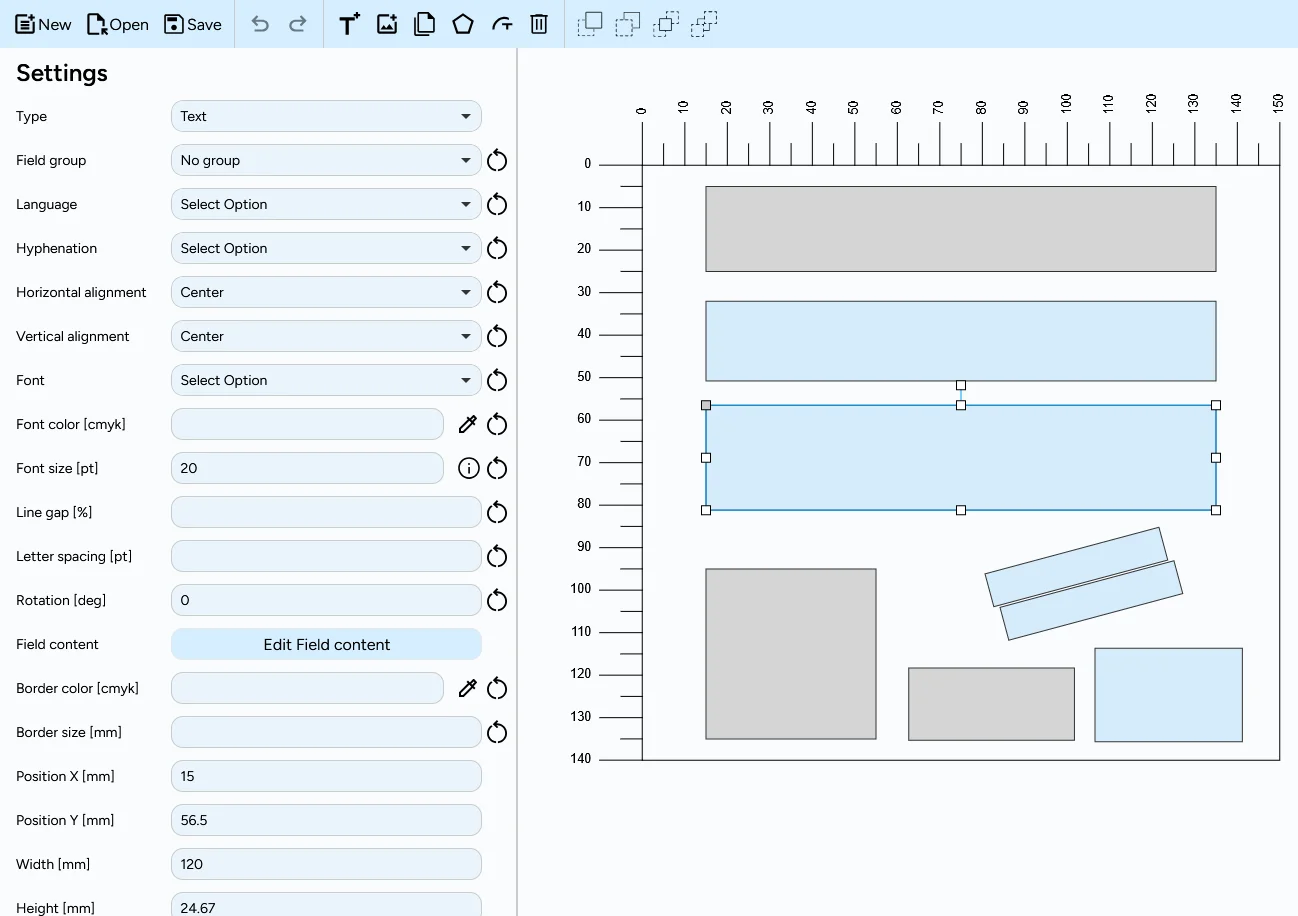
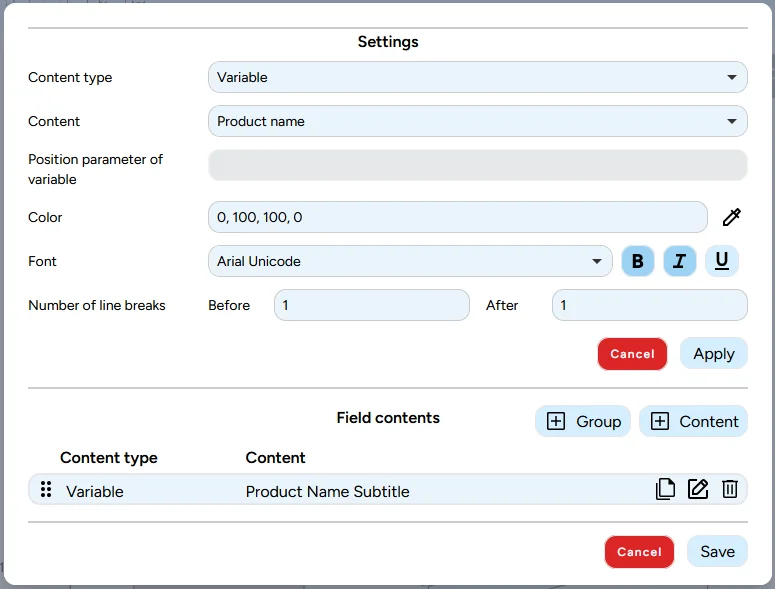
In the label editor you place fields on the label and fill them with variables, fixed headings and free text. It runs in the browser, with dimensions in millimetres and a preview directly in the editor. You do not need graphics software.
The editor knows the particularities of labels:
- Field groups automatically take the smallest font size at which everything fits
- Text flows around other fields, within free-form fields and along curved paths
- Justified text and hyphenation (own language per country), character and line spacing
- CMYK colours for text and border
- Your own fonts (.ttf, .otf), selectable per content item
- Images as SVG, JPG, WebP or PNG
The values are only added when the PDF is created. The layout stays untouched.
Create the print-ready label PDF: create a batch
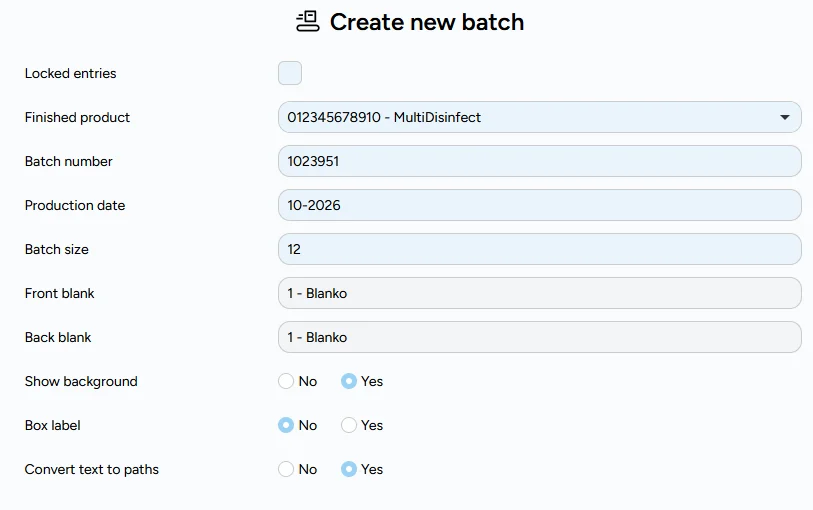
In the batch form you choose the product and enter batch number, production date (MM-YYYY) and batch size. Optionally you switch the background on.
Before the PDF is created, the software checks the data. If a translation, a label, a language version or the shelf life is missing, it reports this with a clear message instead of producing a wrong label. Warnings can be skipped deliberately.
The PDF is print-ready and uses print colours (CMYK). Admins and the editorial office can convert texts to outlines so that no fonts are missing. Print in-house or at the printer.
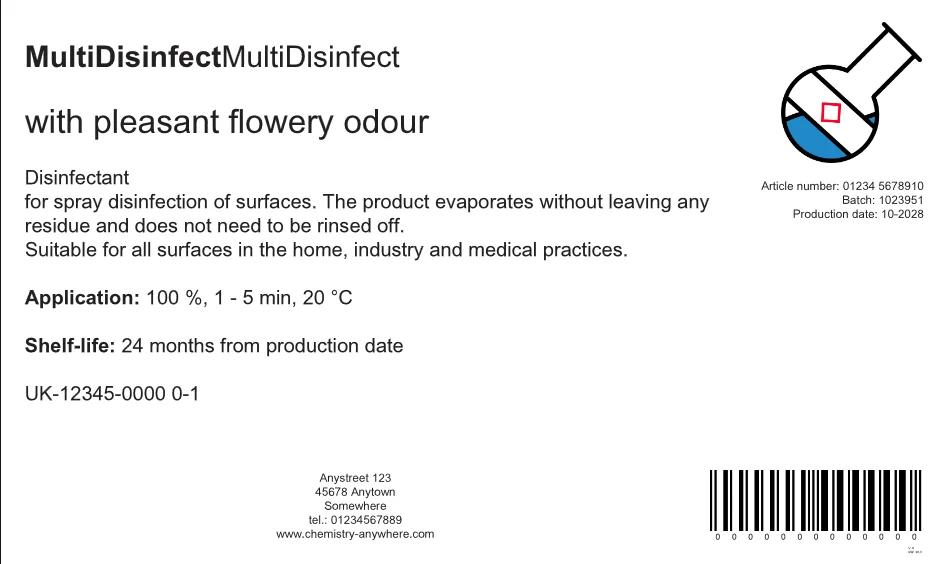
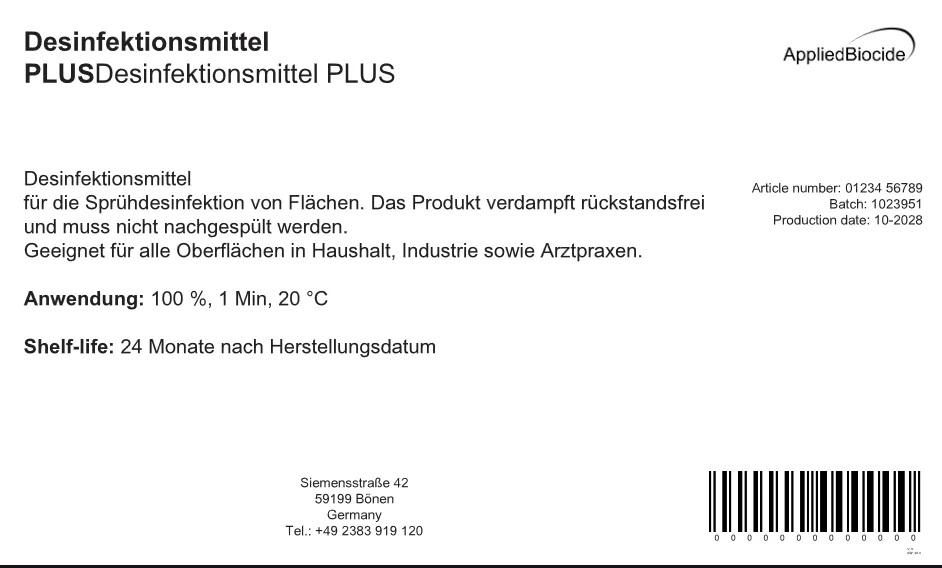
Booklet label and fold-out with the minimum number of pages
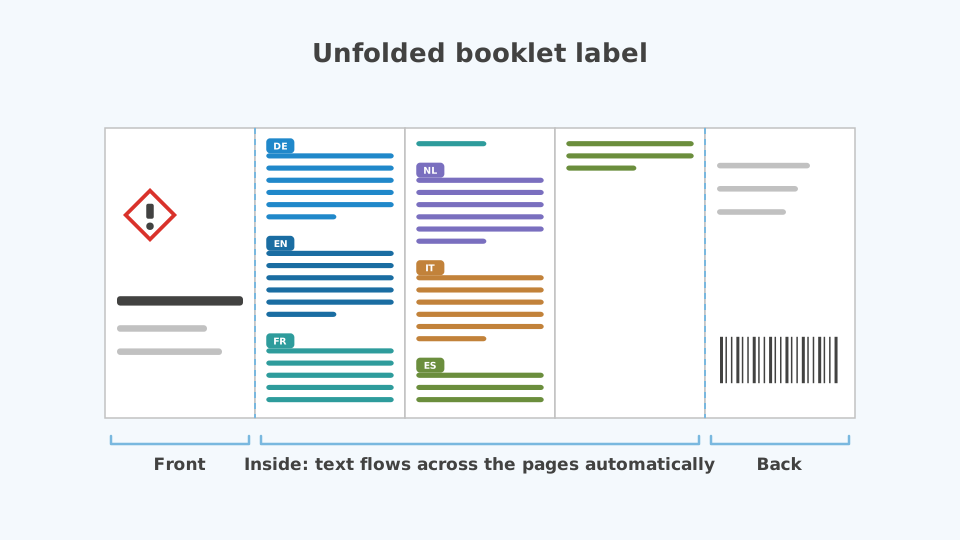
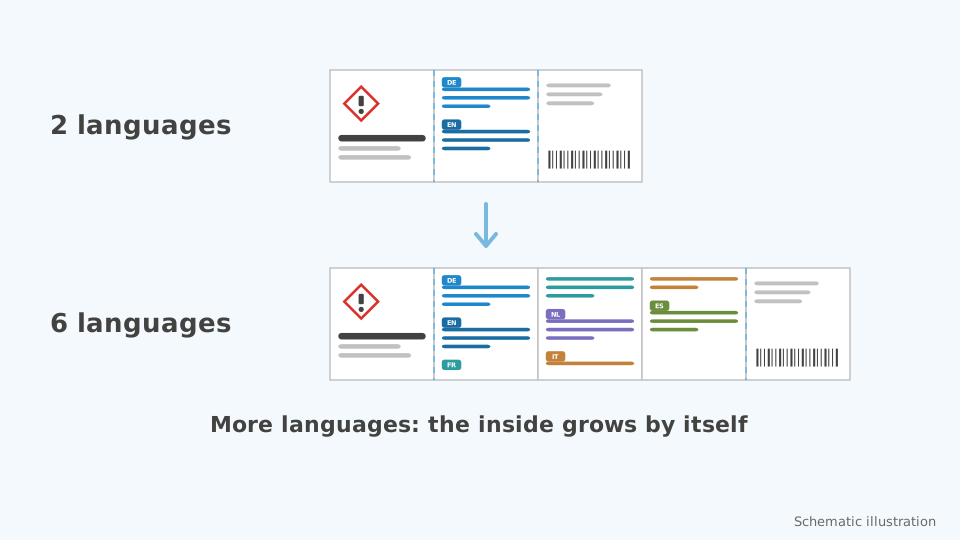
A booklet label (multi-page label) consists of a front, an inner part and a back. In the inner part the multilingual text flows across the pages automatically, and the software calculates the page count itself: the booklet gets exactly as many pages as the content needs. One more language means: it grows by itself.
Fold-out labels, also called folded labels in CLP practice, are created the same way. They differ only in print.
Multilingual hazard labels: many languages in a small space
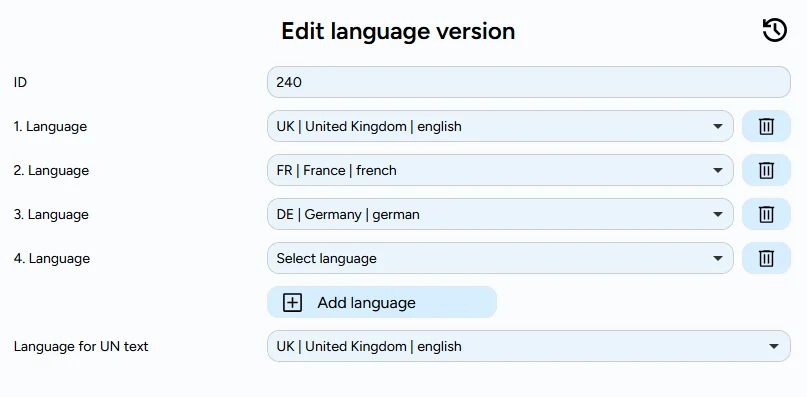
Which languages appear on the label and in which order is defined by the language version. There is no limit: every additional language creates additional pages.
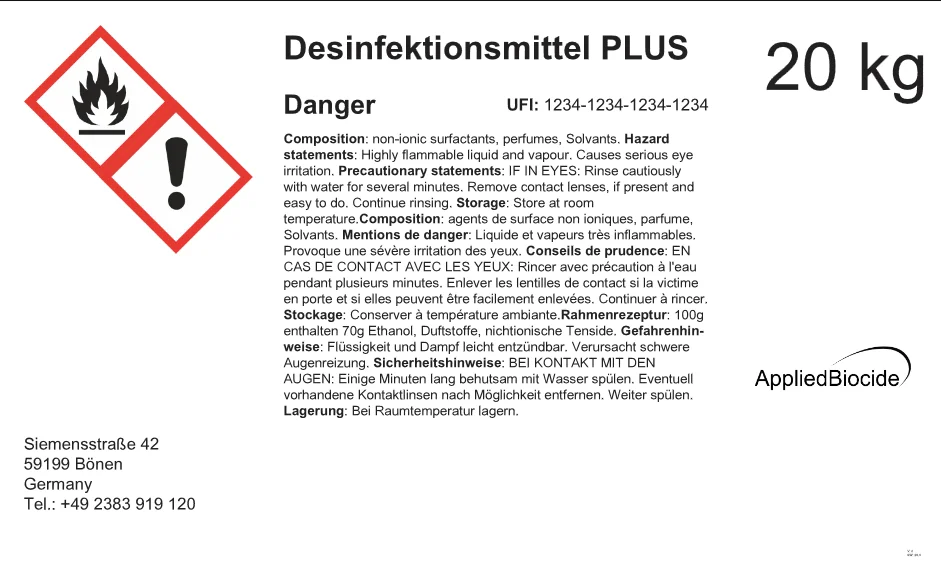
Multilingual fields are also available on labels without a booklet, for example when several languages have to fit onto a small area.
Interfaces to SAP and ChemGes
Is your product data already in SAP or ChemGes? ChemLabel Suite takes it over via interfaces to SAP and ChemGes so that you do not maintain data twice. We connect further systems on request.
- SAP and ChemGes: take over product data instead of re-entering it
- Further systems and your own data formats on request

Customised programming is our home turf. When standard software reaches its limits, Kleen Software GmbH develops solutions that fit your processes exactly – from consultation to implementation. Get in touch.
Pricing
ChemLabel Suite
CLOUD
Cloud based
Available immediately
All features included for 3 users
30 days free
ChemLabel Suite
INDIVIDUAL
Local installation possible
Customizable
Interfaces to SAP and ChemGes, further systems on request
On request
Contact usBook a demo
Would you like to book a presentation appointment?
Feel free to contact us.
Book an appointmentFrequently asked questions
A web-based label software with which manufacturers of chemical and biocidal products create labels for CLP labelling, booklets and fold-outs from their product data.
It was developed by Kleen Software GmbH together with Applied Biocide GmbH, which itself develops disinfectants and applies for and licenses biocidal products.
The semi-product contains recipe, classification and the statements for every country. The product builds on it and adds brand, container, approval and labels.
A batch is a delivery of a product.
Texts are maintained centrally with their translations; the language version defines which languages appear on the label and in which order.
For multilingual hazard labels there is no fixed limit: the booklet gets only as many pages as the content needs. Fold-out labels (folded labels) are created the same way and differ only in print.
Five points matter: how many languages per label are possible, whether the page count results automatically instead of being laid out by hand, whether texts and translations are maintained centrally and traceably, whether missing data is checked before printing, and whether the result is a print-ready PDF.
ChemLabel Suite covers these points.
Yes. ChemLabel Suite takes over product data via interfaces to SAP and ChemGes so that you do not maintain data twice.
Further systems we connect on request. Get in touch and we will clarify data, effort and implementation together.
DeepL is optional. It translates a text from one language into the others automatically. You choose whether existing translations are overwritten. For this you need your own DeepL key.
Without DeepL the labels use the texts you maintain.
ChemLabel Suite manages active ingredients, approval numbers, shelf life and usage information and outputs them on the label. Responsibility for the content of the labelling remains with the manufacturer.
You import your UFI numbers via CSV (with preview and log) and output them through a variable on the label.
The UFI is not generated in ChemLabel Suite but, for example, with the ECHA UFI generator.
An integrated check report verifies basic requirements, such as label, pictogram and font sizes. It does not replace a legal review.
Before the PDF, the software checks and reports errors and warnings, for example for a missing translation, a missing language version or missing shelf life. You can skip warnings deliberately.
For font sizes, automatic text size reduction makes sure the text fits into the field.
There are the roles Admin, Editorial office and Output. Output only creates batches and PDFs.
Every change appears in the change history, and entries can be locked.
Yes. You upload fonts (.ttf, .otf) in the administration, and you use logos and images as SVG, JPG, WebP or PNG.
You import UFI numbers via CSV, with preview and log. Product data from other systems is taken over via the interfaces to SAP and ChemGes.
Other sources and your own data formats we implement on request.
The cloud version includes all features for 3 users, is available immediately and can be tried free for 30 days. You will find the current monthly price excl. VAT in the pricing section.
A local installation and individual solutions are available on request. The offer is for business customers only.
You create a print-ready PDF and print it in-house or at the printer.
About us

Applied Biocide GmbH develops disinfectants for the food industry and applies for and licenses biocidal products. The company contributes its experience with regulatory requirements, in particular the CLP Regulation.
Kleen Software GmbH from Hamm, Germany, has been developing customized software for industry, engineering and construction since 1995.
Together they created a tool that comes from practice: labels, booklets and fold-outs that can be created without manual work.