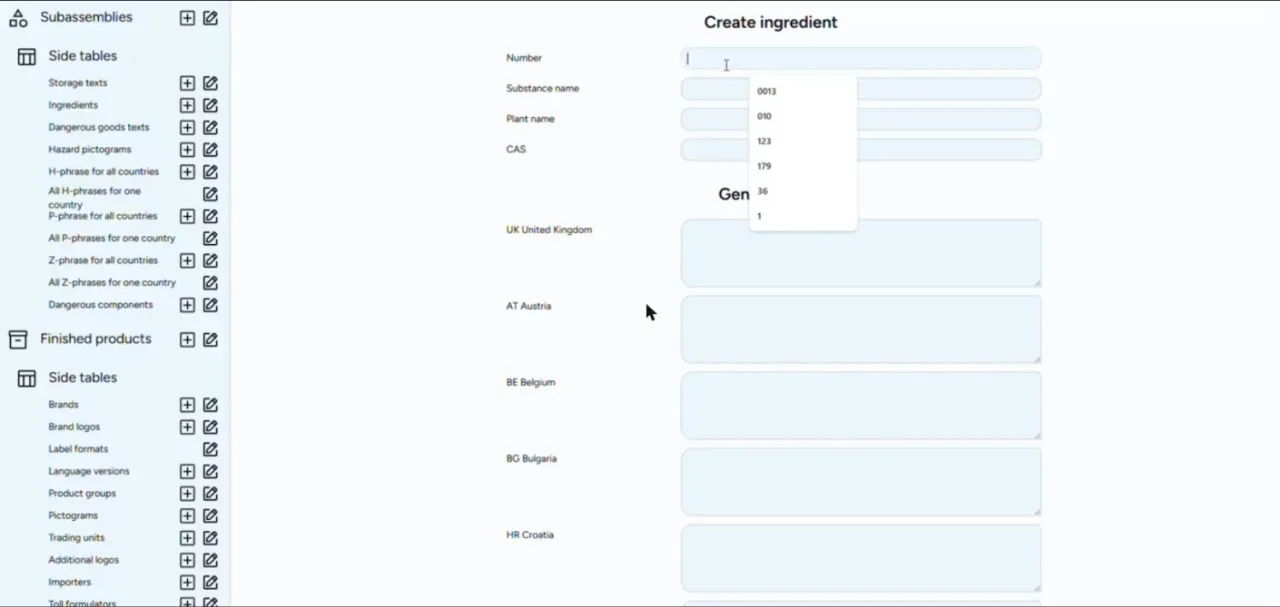
Create active ingredients
Step 1 of 6
Video 8 of 27
0:42 min
The video is only loaded from YouTube (youtube-nocookie.com) once you click.
What is it about? You maintain ingredients and biocidal active substances once, centrally. The sub-assembly draws on them later.
Step by step
- Under “Side tables”, next to “Ingredients”, click the plus symbol.
- Enter the individual number (Number), Substance name, Plant name and CAS number, sodium hydroxide in the example.
- Under the general designation, enter the name in the selected primary language and, if needed, translate it into further languages.
- Save with “Create”.