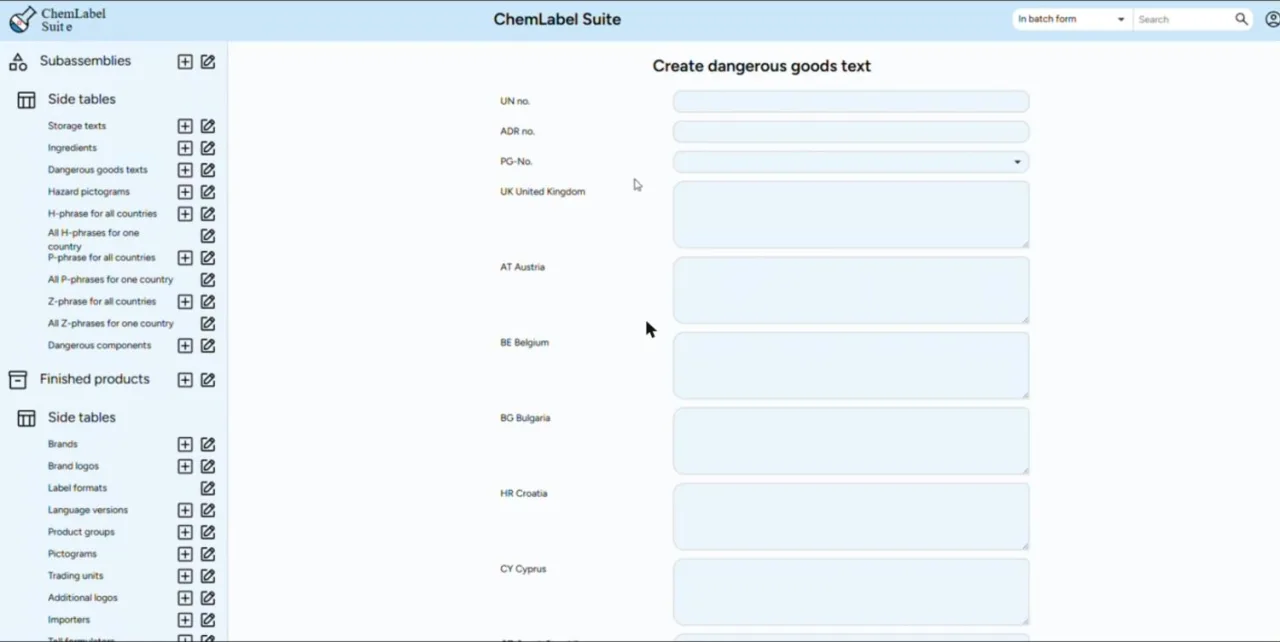
Create dangerous goods texts
Step 1 of 6
Video 6 of 27
0:47 min
The video is only loaded from YouTube (youtube-nocookie.com) once you click.
What is it about? The dangerous goods text contains the details for transporting your product. You create it once, in the primary language and, if needed, in further languages.
Step by step
- Under “Side tables”, next to “Dangerous goods texts”, click the plus symbol.
- Enter the UN number and the ADR class (mandatory), UN 2491 in the example.
- Optionally choose packing group I, II or III.
- Maintain the dangerous goods text in the selected primary language and, if needed, in further languages.
- Save with “Create”.
Good to know
- You set the language for the UN text in the language version.